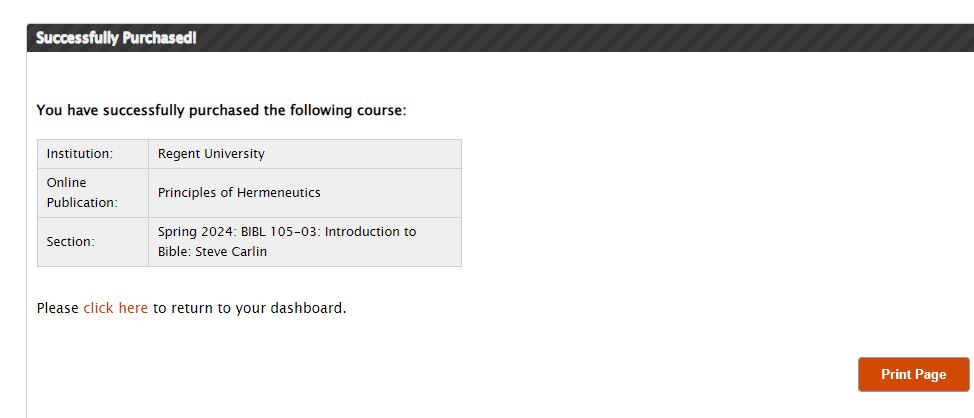



Students using KHP Content who are retaking a class, or using the same book for another class, will need to enroll in the new semester. Most classes will allow you to retake them without having to purchase access again. If your course is eligible for free or a discounted price, this will reflect in your shopping cart total.
1. You can add the current course by signing into your account at www.khpcontent.com.

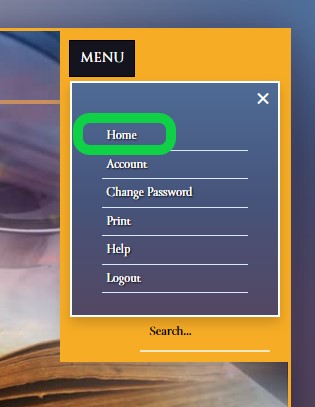
If you do not see the Home page when you first sign in, click on Menu, then Home.
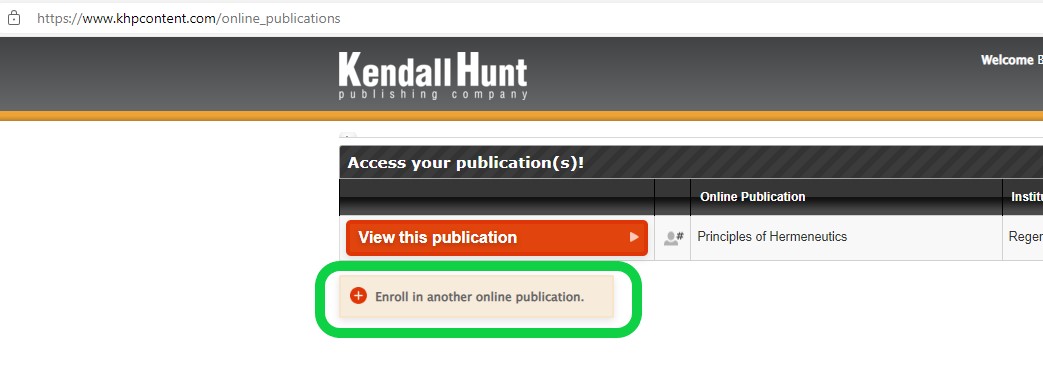
1. Click "Enroll in another online publication.
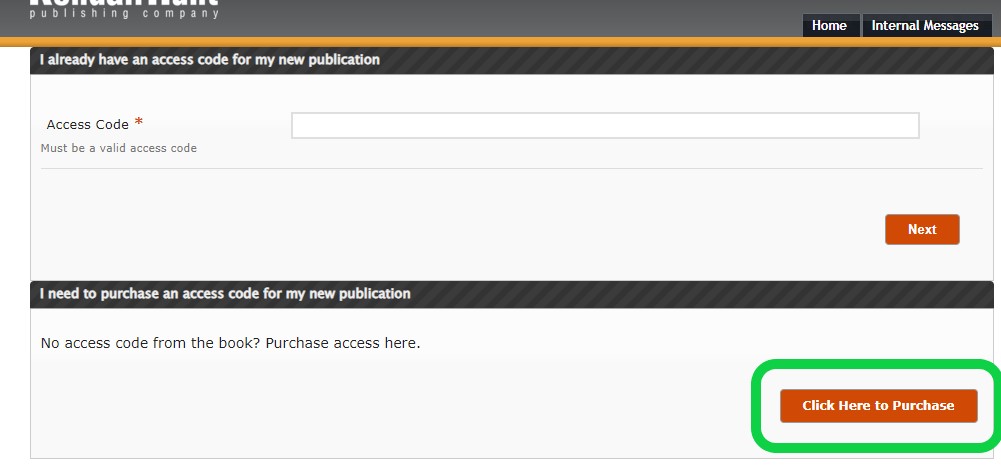
2. Choose the Purchase option.
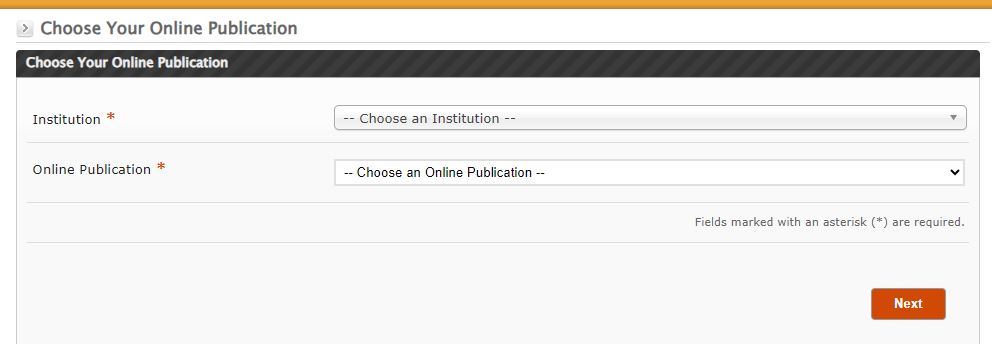
3. Choose your school and publication
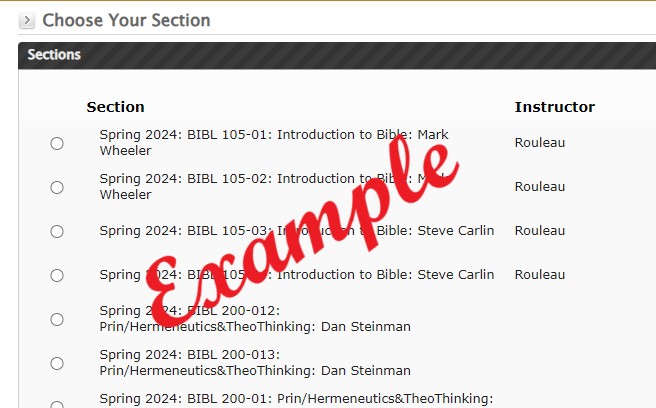
4. Choose your class section.
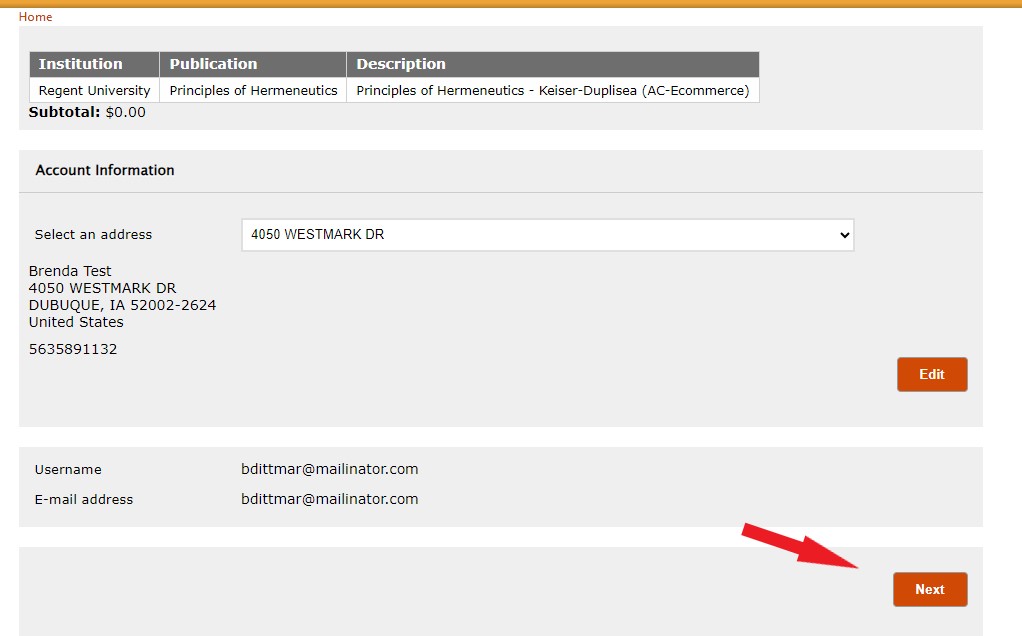
5. Review your shopping cart to make sure your choices are correct, then click Next
.
6. Click Proceed With Purchase.
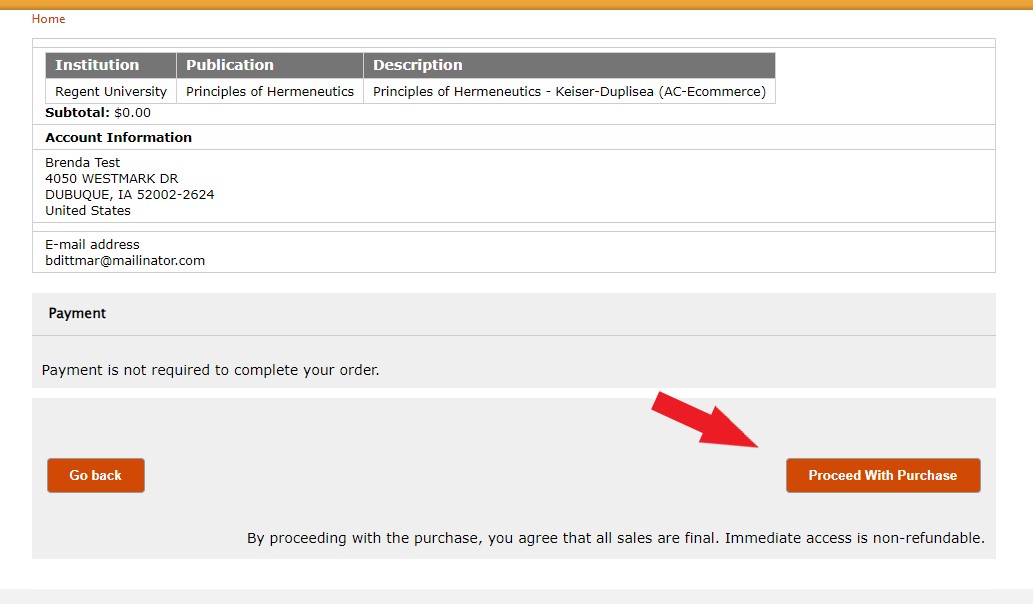
8. After receiving the confirmation message, you can return to your dashboard to view the publication.