



Accessing Courseware/ShiftED outside of Online Course System (Canvas, D2L/Brightspace, Blackboard, Moodle, Sakai, etc)
If you registered and gained access to a Courseware/ShiftED course from your instructor provided online course system and try to access your Courseware/ShiftED course by navigating to the link provided by your instructor, you will likely not have a password as your access is authenticated by your schools course system.
Please return to your course system and click the link your instructor provided to access the Courseware/ShiftED course. Once in your online textbook in Courseware/ShiftED follow the following instructions:
Step 1
-
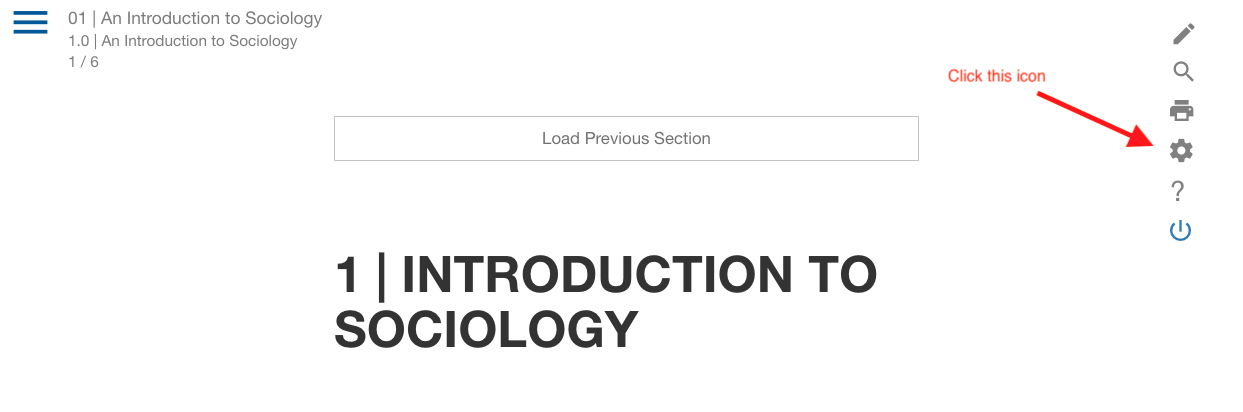
Click the Gear icon on the right side of the screen
Step 2
-
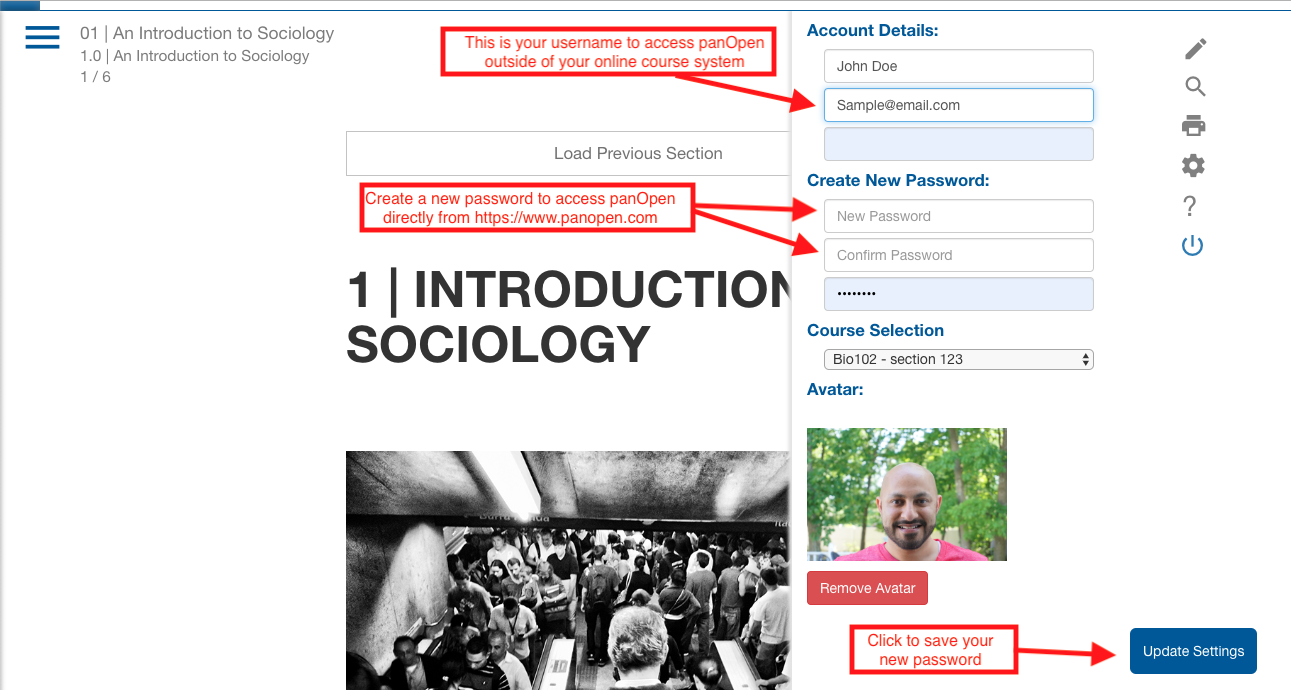
The email listed is your username to log into your course directly from the Courseware/ShiftED website.
-
Enter a new password that you would like to use
- Log in to post comments