



Cirrus can be delivered through your school’s learning management system (LMS), such as Canvas, D2L, Blackboard Learn, Blackboard Ultra, or Moodle. Setting up the connection requires Admin rights in Blackboard Ultra.
Please contact the Onboarding team at onboarding@paradigmeducation.com if there are any issues or questions.
Set Up the LTI Connection
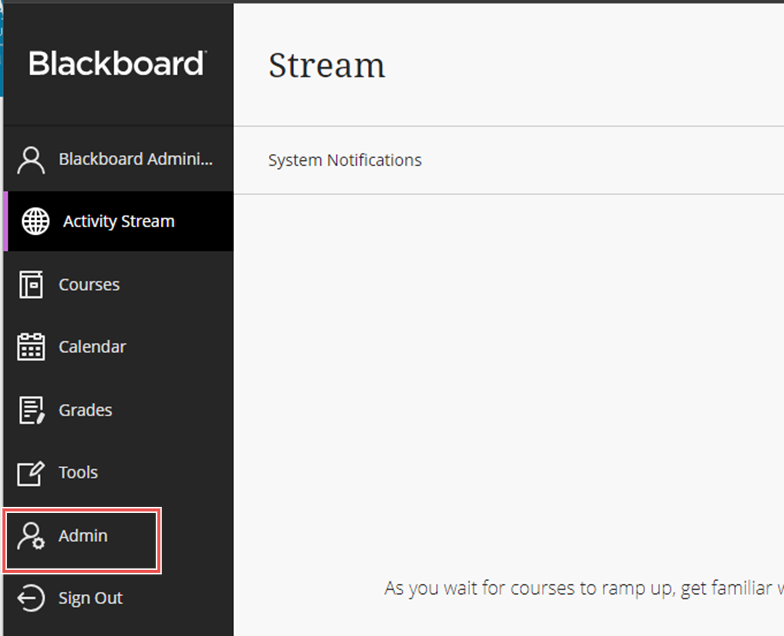
- Log in to Blackboard Ultra as an Admin.
Click on Admin.
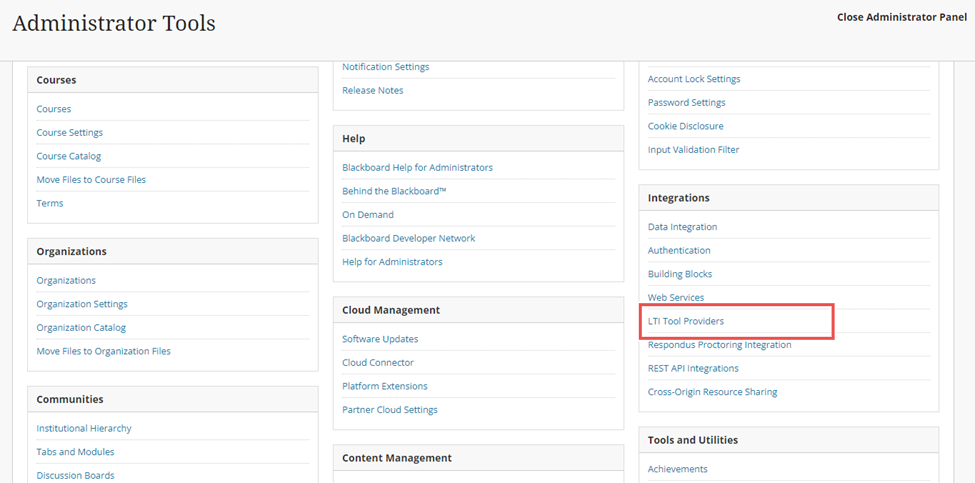
Click on LTI Tool Provider under Integrations.
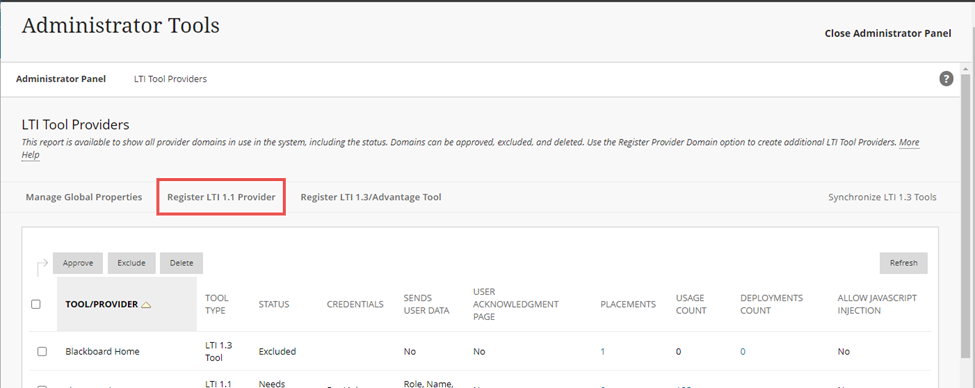
Click on Register LTI 1.1 Provider.
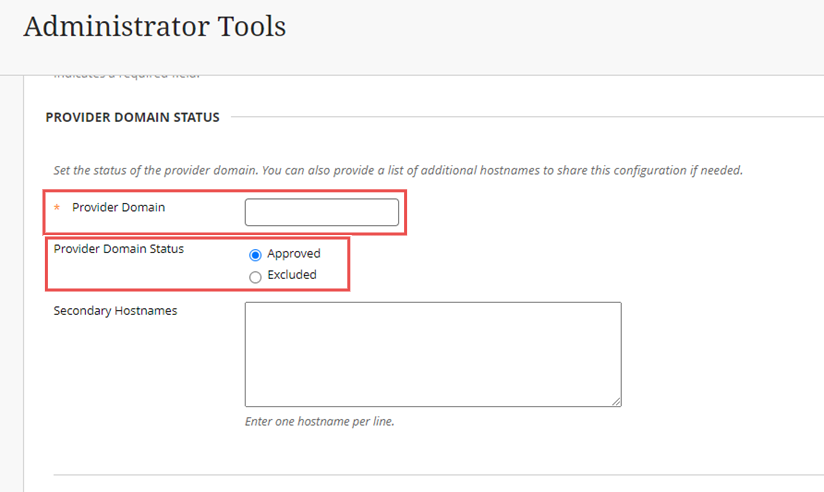
- Fill in the requested information.
Provider Domain Status category
- Provider Domain: provided by Paradigm Onboarding
- Provider Domain Status: Approved
- Secondary Hostnames: leave blank.
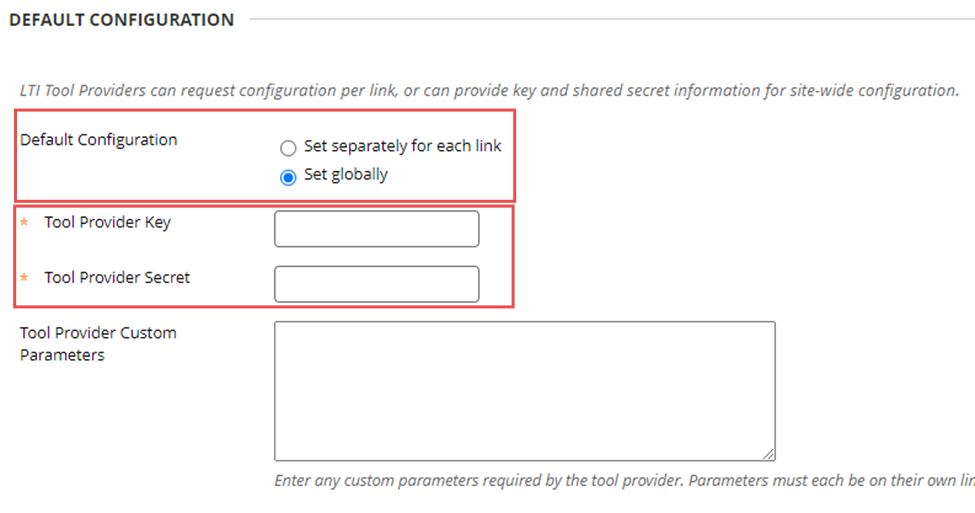
Default Configuration category
- Default Configuration: Set globally.
- Tool Provider Key: provided by Paradigm Onboarding
- Tool Provider Secret: provided by Paradigm Onboarding
- Tool Provider Custom Parameters: leave blank.
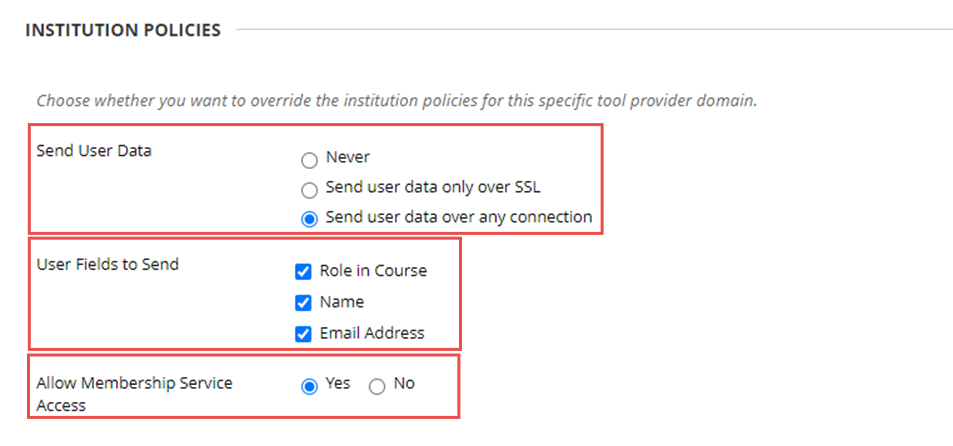
Institution Policies category
- Send User Data: Send user data over any connection.
- User Fields to Send: check all three (Role in Course, Name, Email Address)
- Allow Membership Service Access: Yes
Click Submit to save the new provider.

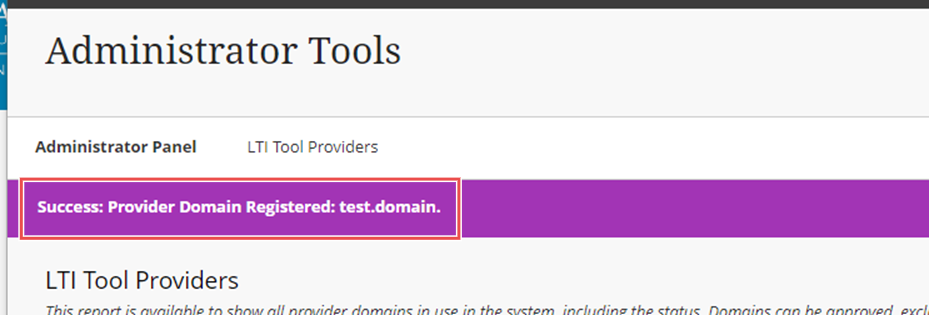
You should receive the message Success: Provider Domain Registered: ( provider domain name).
The Paradigm cartridge can now be imported into the class shell and the links used.
Please contact the Onboarding team at onboarding@paradigmeducation.com if there are any issues or questions.