



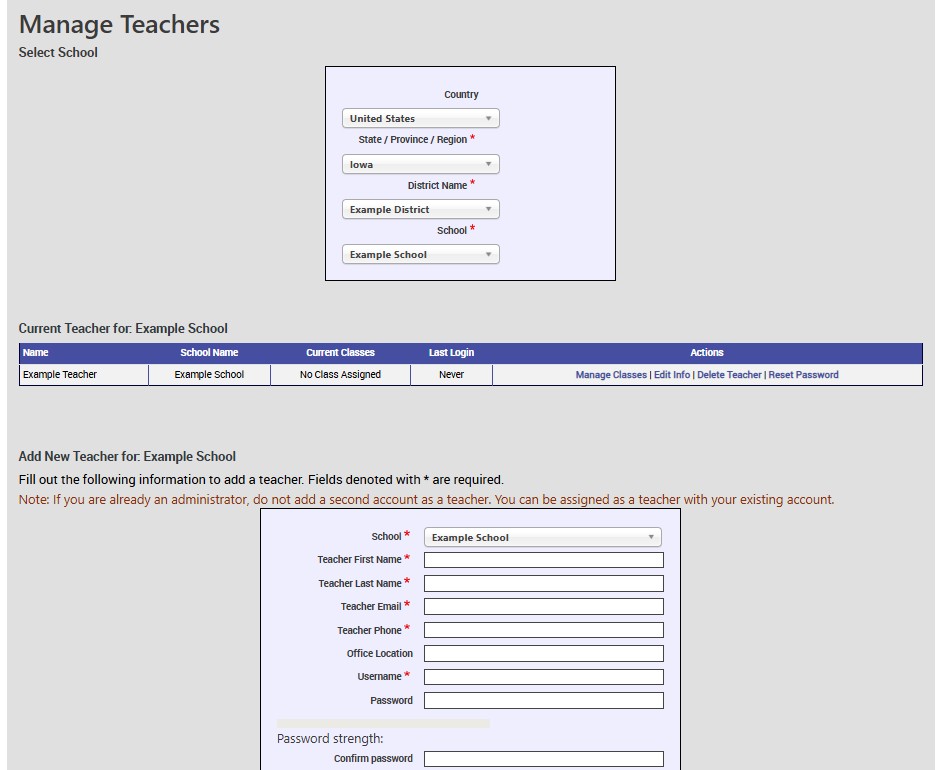
To Add or Manage a teacher account, go to the Manage Teachers page.
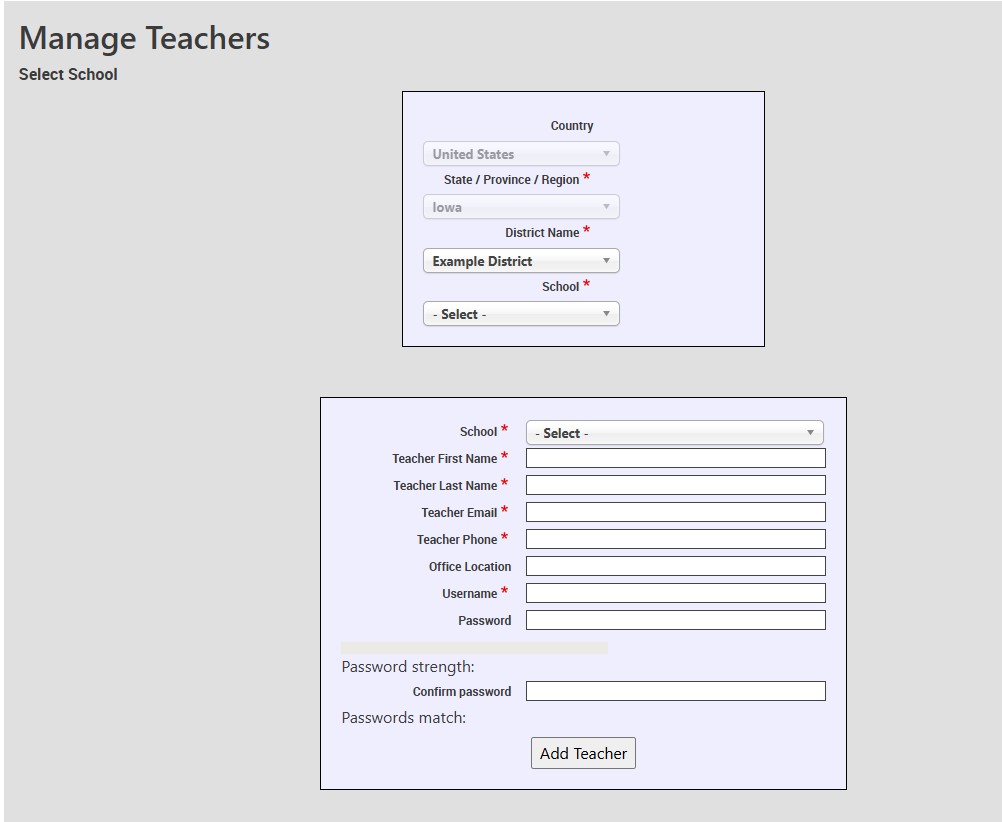
Once there, you can add a new teacher by first selecting a school for the teacher to listed under. 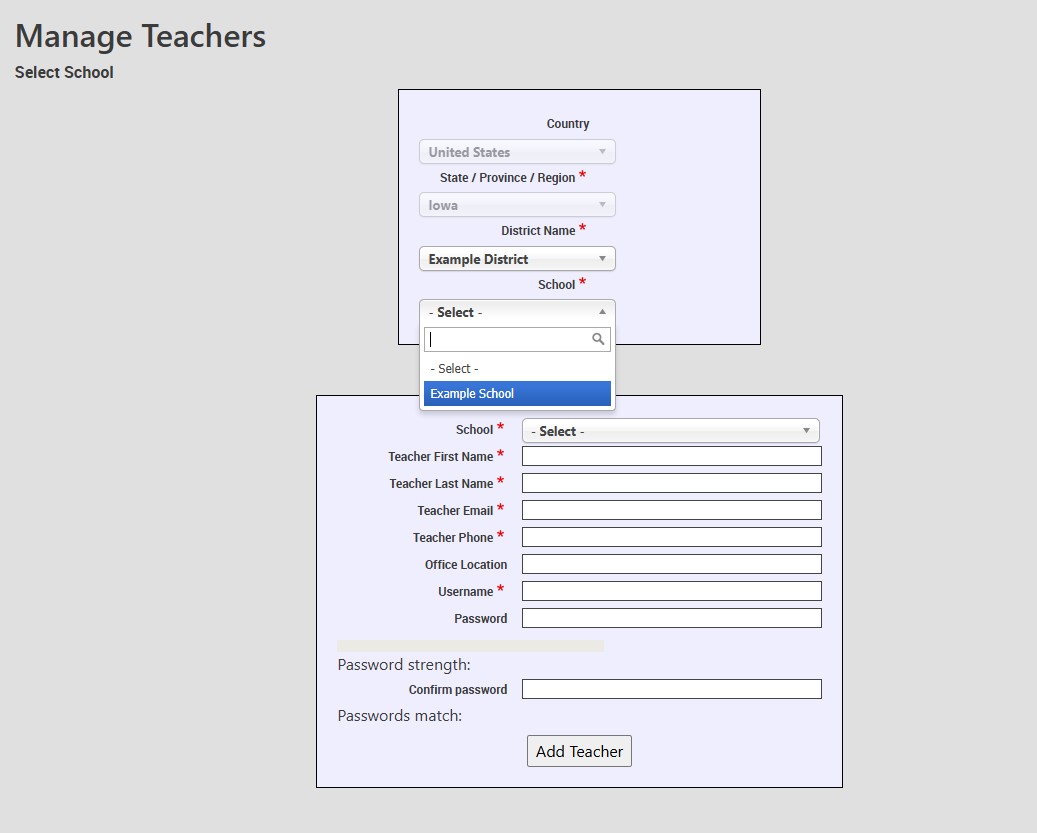
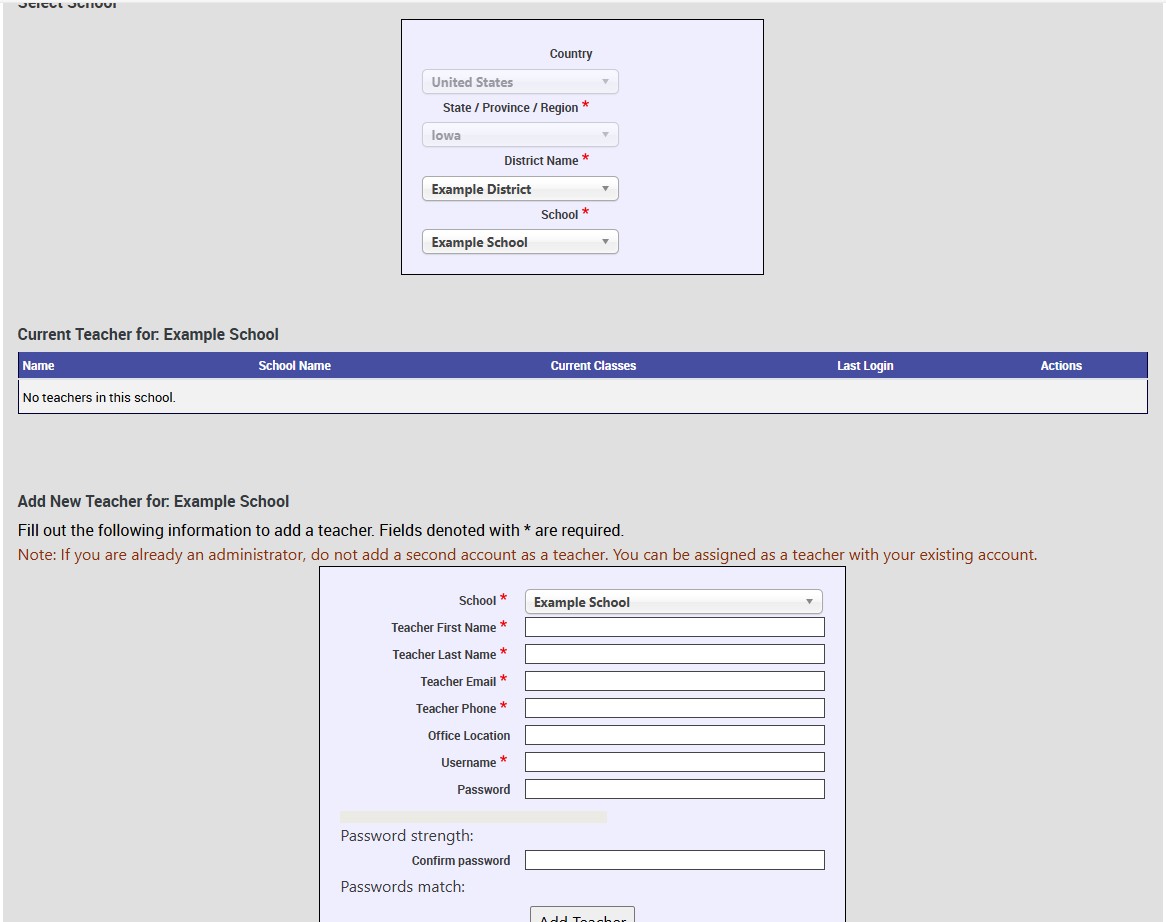
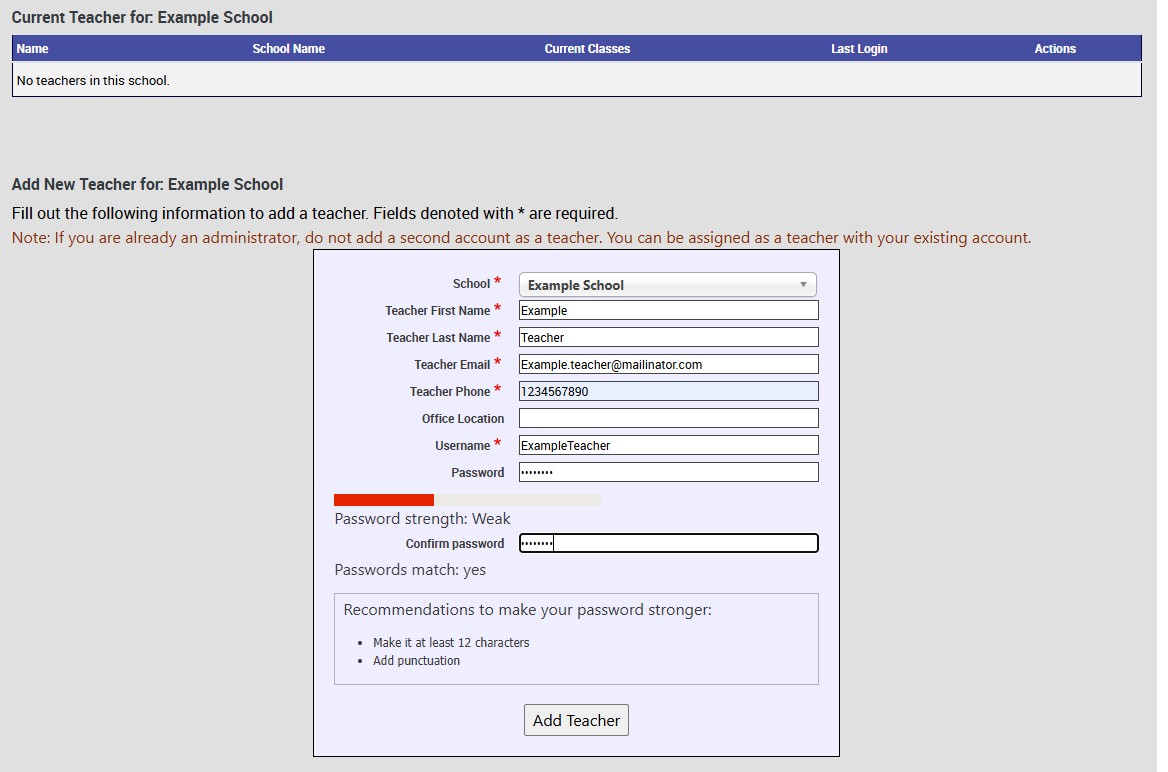
Please note that if a teacher already has an account that uses their email, you will get an error. To have a teacher's account removed or to find out if they have a demo account, please contact Technical Support.
To Edit a Teacher, start on the Manage Teacher page and once the school is selected, choose the teacher's account that you want to edit. You can change their Username, name, email, phone number, and even their password if they can't recall it and you don't feel like contacting Technical Support for help.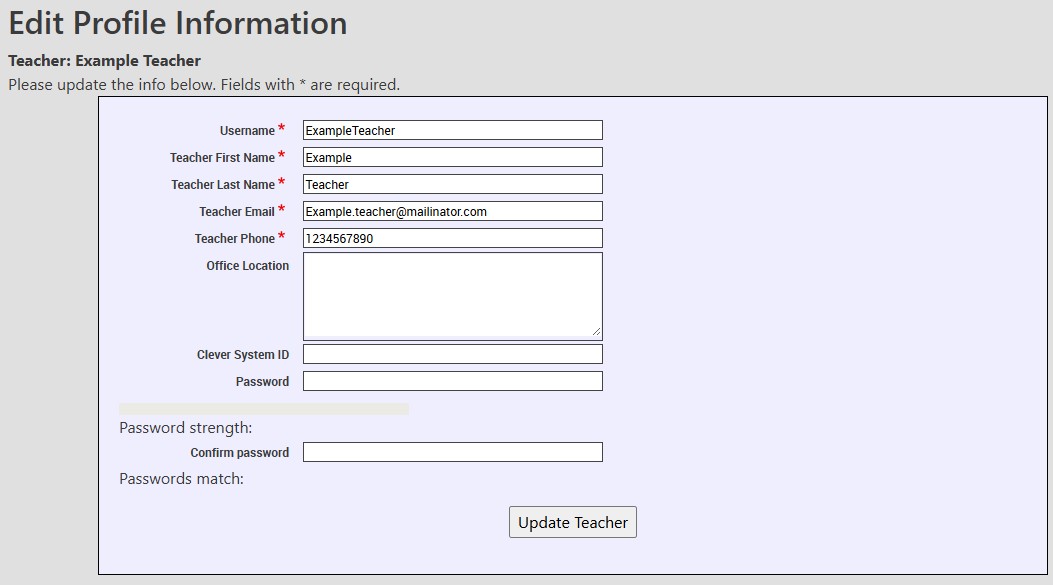
Technical Support
Live Chats are available at https://help.kendallhunt.com/k12-customer-support by clicking the "Start a Chat" button and choosing "Technical Support".
Live Chat Hours:
Monday – Friday: 8am – 10pm CST
Saturday: 9am – 9pm CST
Sunday: 9am – 10pm CST
Support Requests through email can be submitted at techsupport@kendallhunt.com.
Contact OnBoarding for help with Clever/ClassLink/Canvas setup.
To find the sales representative for your area, please click here.