


For Forensic Science, we currently have 2 editions to select from. Both versions use a different lab that is hosted on the Learn Engines website. We work with that site to get classes rostered for the labs. In both editions, teachers must have their classes rostered on Flourish before they can be rostered on Learn Engines.
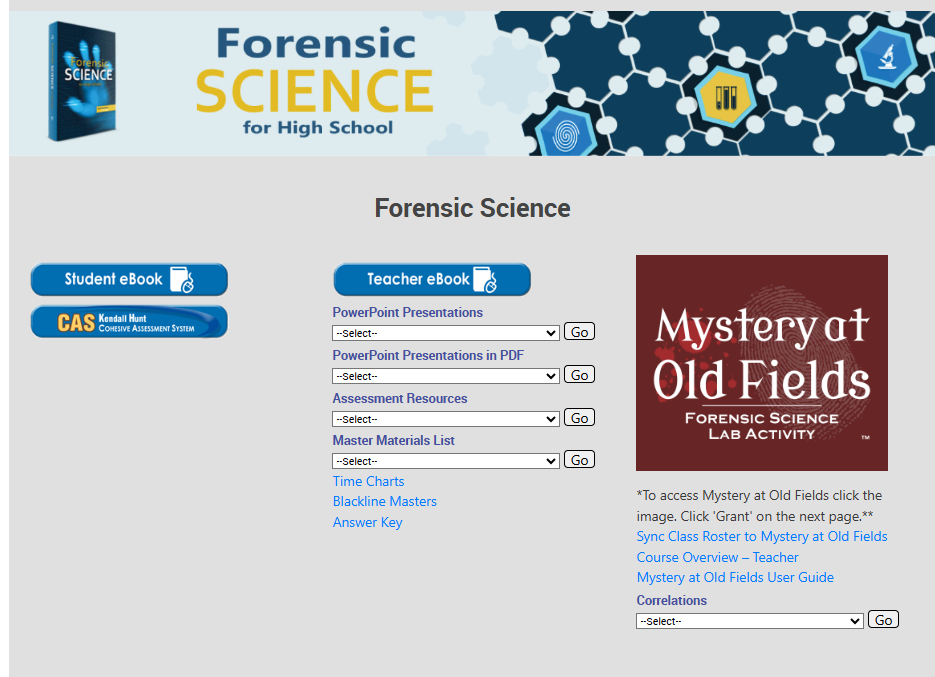
Edition 3.0 of Forensic Science uses the Mystery at Old Fields lab website. After the students are rostered on the Flourish site, teachers can go to the product page and click on the link under the icon image for Mystery at Old Fields that says 'Click here to sync class roster'. Once that is done, the students should just need to click on the Mystery at Old Fields image to enter the lab site.
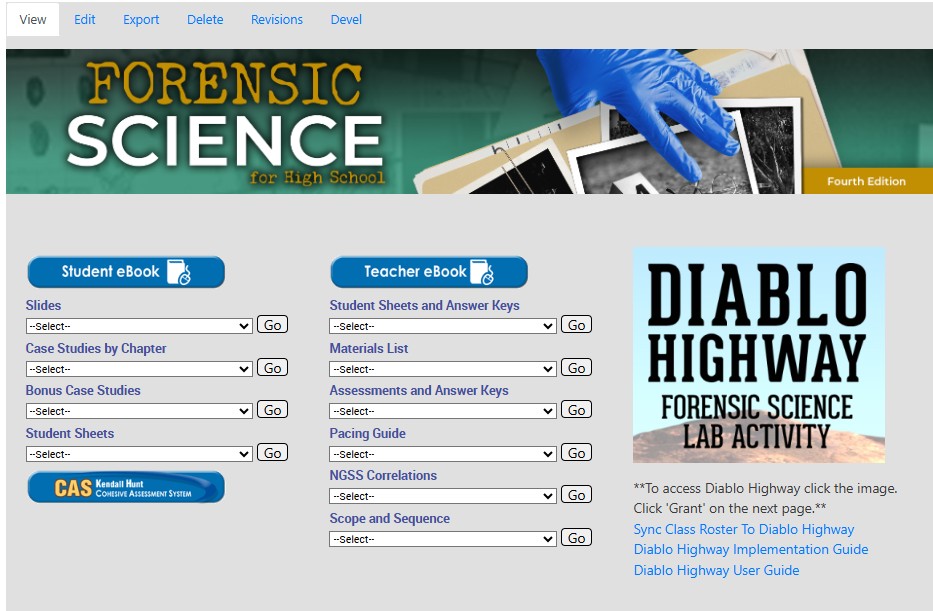
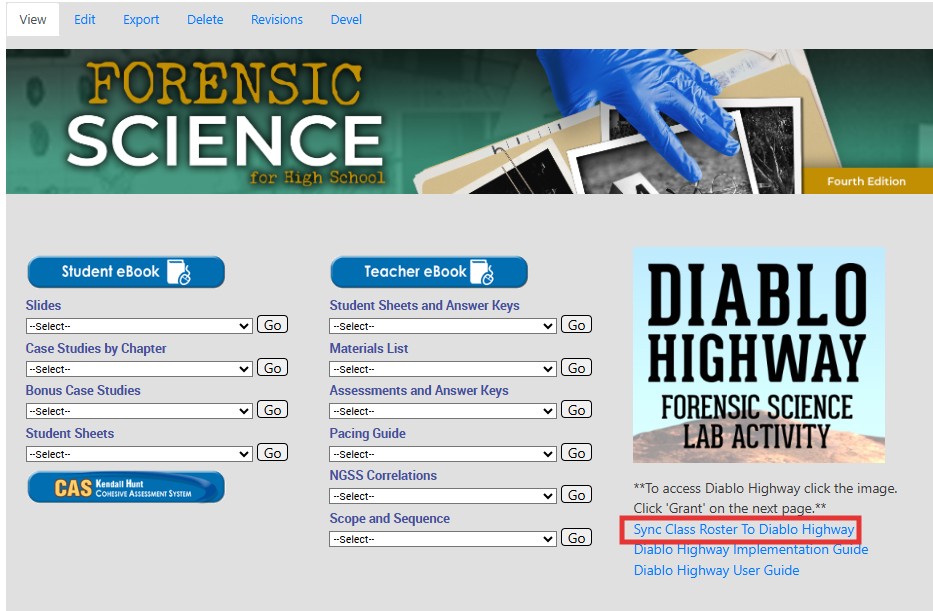
The newest edition is 4.0 and rostering for the labs is for Diablo Highway. Much like with Mystery at Old Fields, once the students are rostered on the Flourish site, teachers can go to the product page and click on the link under the icon image for Diablo Highway that says 'Click here to sync class roster'. Once that is done, the students should just need to click on the Diablo Highway image to enter the lab site.
If at any time teachers or students can not access the labs, teachers or admins can contact Tech Support to gain help in getting the issues corrected.
Technical Support
Live Chats are available at https://help.kendallhunt.com/k12-customer-support by clicking the "Start a Chat" button and choosing "Technical Support".
Live Chat Hours:
Monday – Friday: 8am – 10pm CST
Saturday: 9am – 9pm CST
Sunday: 9am – 10pm CST
Support Requests through email can be submitted at techsupport@kendallhunt.com.
Contact OnBoarding for help with Clever/ClassLink/Canvas setup.
To find the sales representative for your area, please click here.