



On the Add New Student Accounts page you can create student accounts two different ways. The first way is to use the bulk template to roster a class at a time. Click here for template file.
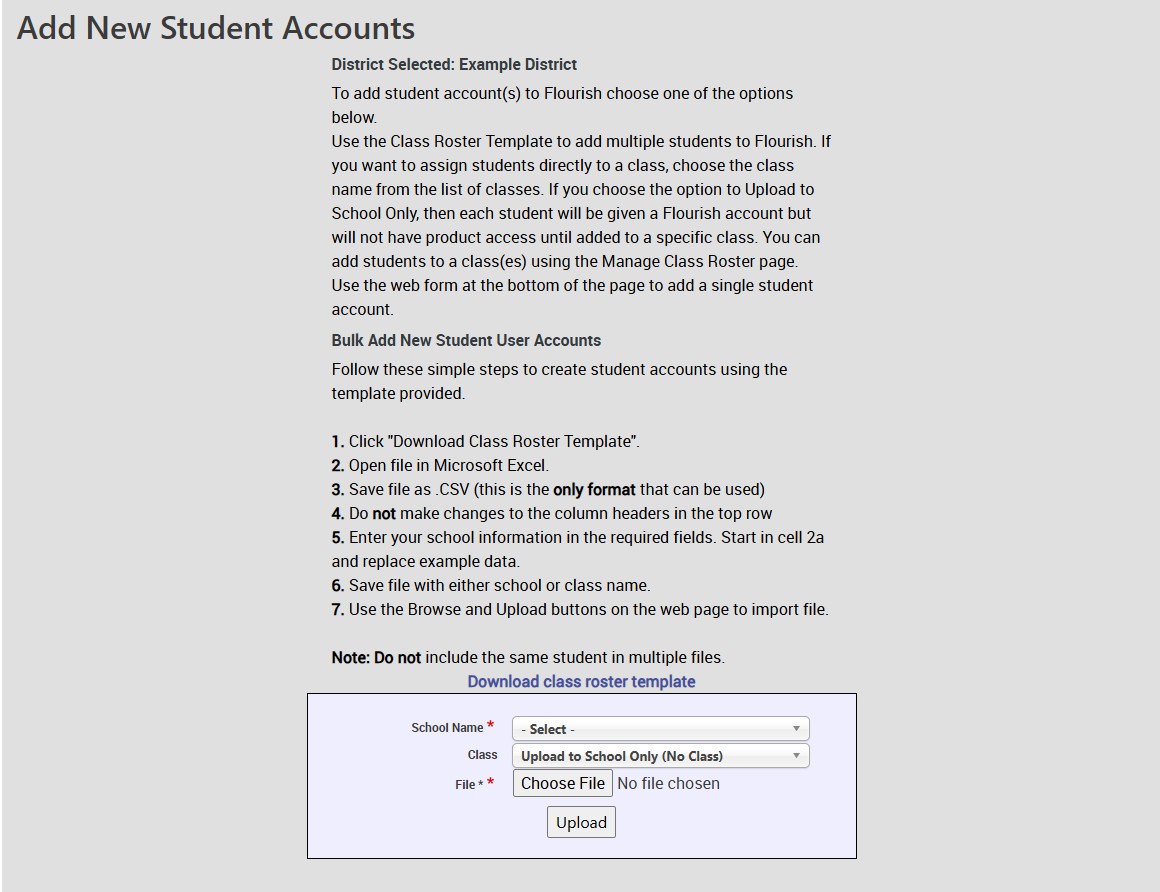
The other way is to roster one student at a time. This is usually the way to go if a student joins a school midway through the school year or if there was an error in bulk rostering for a few students. If a class is not selected then the student is placed in the general student list for the whole school. 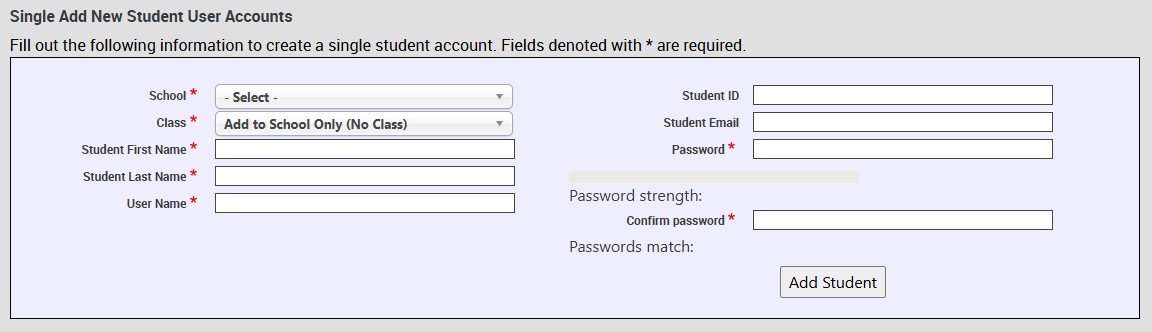
Technical Support
Live Chats are available at https://help.kendallhunt.com/k12-customer-support by clicking the "Start a Chat" button and choosing "Technical Support".
Live Chat Hours:
Monday – Friday: 8am – 10pm CST
Saturday: 9am – 9pm CST
Sunday: 9am – 10pm CST
Support Requests through email can be submitted at techsupport@kendallhunt.com.
Contact OnBoarding for help with Clever/ClassLink/Canvas setup.
To find the sales representative for your area, please click here.